Melody
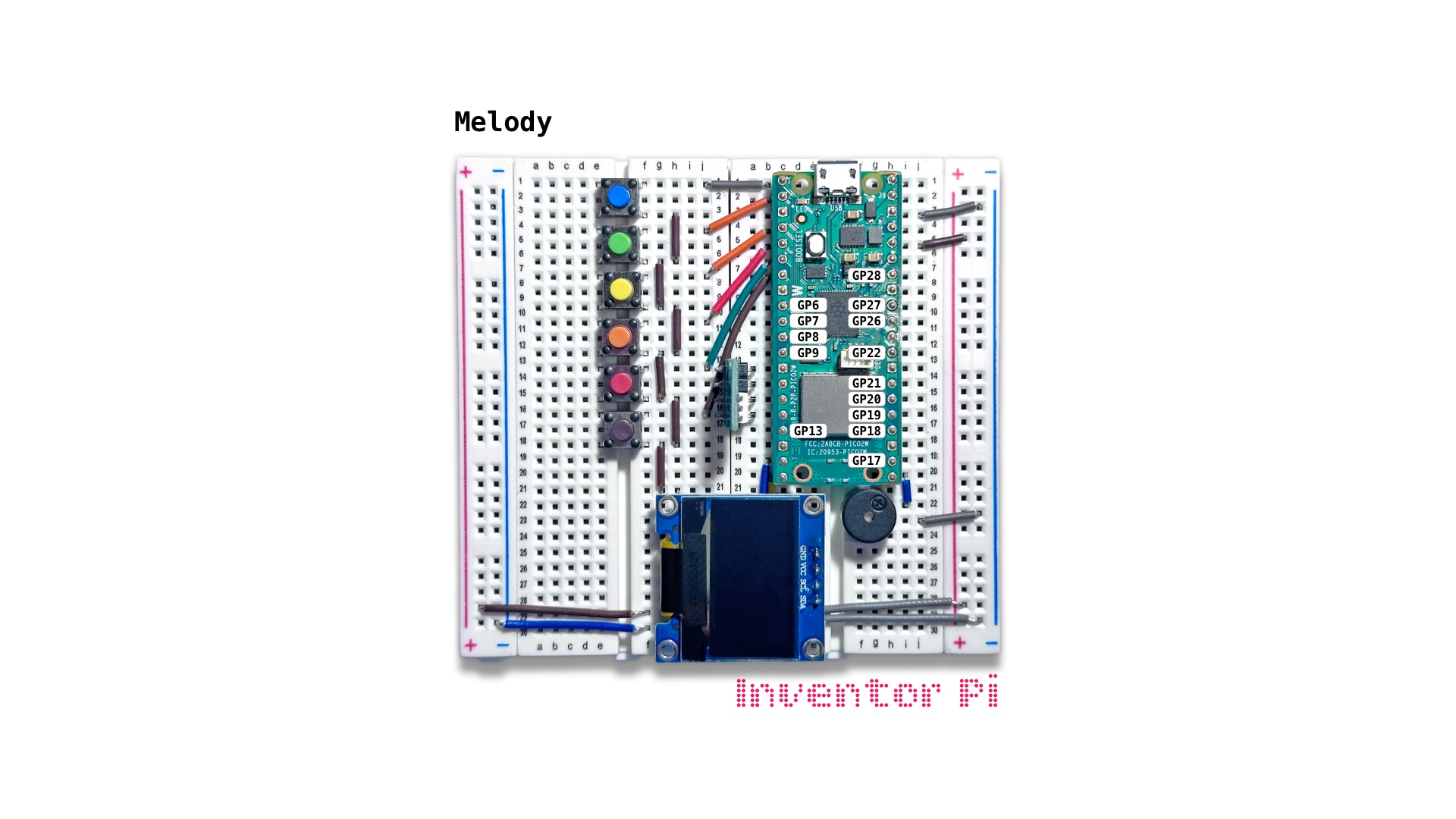
A MicroPython code example running on a Raspberry Pi Pico 2 W microcontroller connected to a passive piezo buzzer, an RGB LED module and an OLED display module (SSD1306) on a breadboard to play a melody of musical notes on the buzzer with matching text displayed on the display
A piezo buzzer works by using the piezoelectric effect to turn electrical signals into fast mechanical vibrations that create sound waves. In this script, we send different frequencies to a piezo buzzer to play different musical notes.
To play a note at an interval, we run:
1
2
3
4
5
6
7
8
from time import sleep
from buzzer import Buzzer

buzzer = Buzzer(pwm_pin=16)

while True:
    buzzer.play_note("C4")
    sleep(3) # wait 3 seconds, then repeat
To add a function, we use ‘def’. The function below adds a twinkle effect by turning the LED to dim white then off, repeating multiple times.
1
2
3
4
5
6
def twinkle(seconds):
    for i in range(seconds * 5):
        rgbled.set_color(w=100)
        sleep(0.01)
        rgbled.reset()
        sleep(0.19)
To play an entire melody, create a new file in Thonny, with file name melody.py. Copy and paste the code below into the file you created.
1
2
3
4
5
6
7
8
9
10
11
12
13
14
15
16
17
18
19
20
21
22
23
24
25
26
27
28
29
30
31
32
33
34
35
36
37
38
39
40
41
42
43
44
45
46
47
48
49
50
51
52
53
54
55
56
57
58
59
60
61
62
63
64
65
66
print("\nMelody")

# DESCRIPTION

# A piezo buzzer works by using the piezoelectric effect to turn electrical signals
# into fast mechanical vibrations that create sound waves. In this script,
# we send different frequencies to a piezo buzzer to play different musical notes.

# CONNECTIONS REQUIRED

# No additional connections are needed

from time import sleep
from buzzer import Buzzer
from oled import OLED
from rgbled import RGBLED

oled = OLED(scl_pin=15, sda_pin=14)
buzzer = Buzzer(pwm_pin=16)
rgbled = RGBLED(red_pin=12, green_pin=11, blue_pin=10)
buzzer.melody_note_gap = 0.5

def twinkle(seconds):
    for i in range(seconds * 5):
        rgbled.set_color(w=100)
        sleep(0.01)
        rgbled.reset()
        sleep(0.19)

try:
    while True:

        twinkle(0.6)
        oled.print("Twinkle,", "twinkle,", "little", "star,")
        buzzer.play_melody("C4", "C4", "G4", "G4", "A4", "A4", "G4 0.6")

        twinkle(0.6)
        oled.print("Yes, sir,", "Yes, sir,", "three bags", "fulllllll!")
        buzzer.play_melody("F4", "F4", "E4", "E4", "D4", "D4", "C4 0.6")

        twinkle(0.6)
        oled.print("Up above the", "world so high,")
        buzzer.play_melody("G4", "G4", "F4", "F4", "E4", "E4", "D4 0.6")

        twinkle(0.6)
        oled.print("Like a", "diamond", "in the sky.")
        buzzer.play_melody("G4", "G4", "F4", "F4", "E4", "E4", "D4 0.6")

        twinkle(0.6)
        oled.print("Ba, ba,", "black sheep,", "have you", "any wool?")
        buzzer.play_melody("C4", "C4", "G4", "G4", "A4", "A4", "G4 0.6")

        twinkle(0.6)
        oled.print("Aitch I jay kay", "el em en o pee")
        buzzer.play_melody("F4", "F4", "E4", "E4", "D4", "D4", "C4 0.6")

        oled.reset()
        sleep(3)

except KeyboardInterrupt:
    print("\nInterrupted by user!")

finally:
    oled.reset()
    rgbled.reset()
    buzzer.reset()