Sensore di collisione
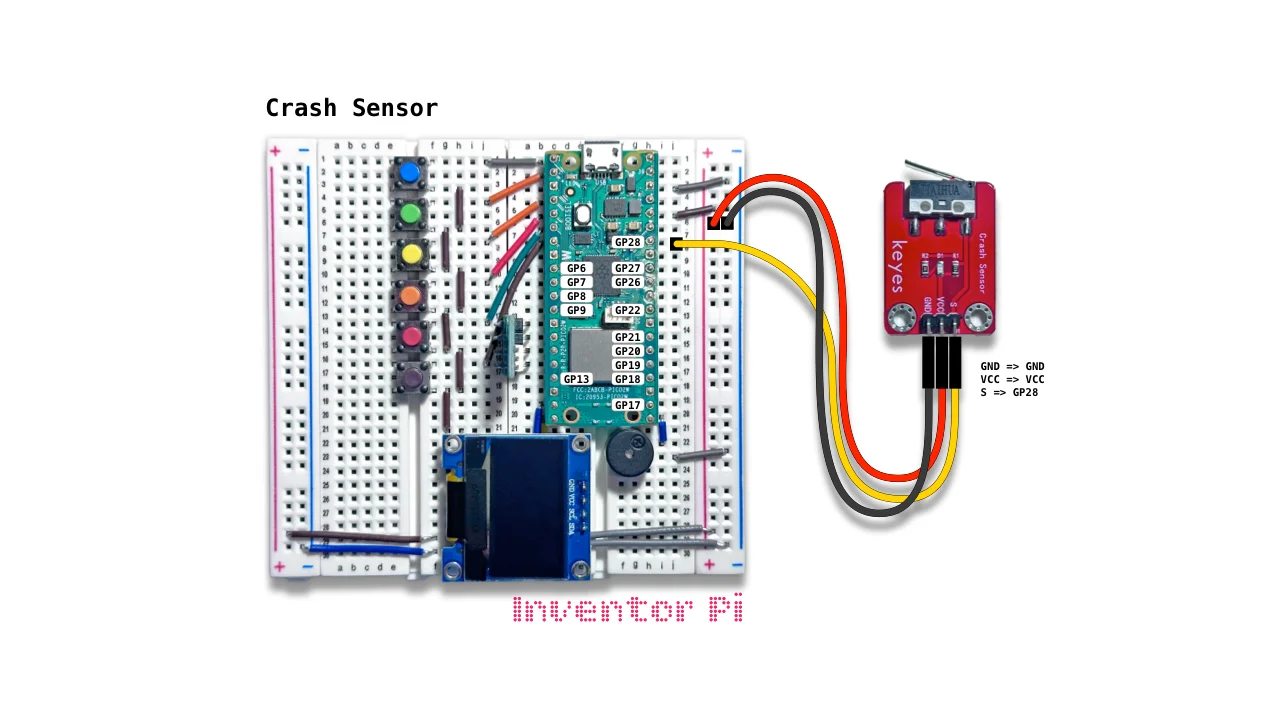
Un esempio di codice MicroPython in esecuzione su un microcontrollore Raspberry Pi Pico 2 W collegato a un modulo sensore di collisione con un interruttore di fine corsa, un modulo LED RGB e un modulo display OLED (SSD1306) su una breadboard per cambiare il colore del LED e mostrare lo stato sul display quando viene rilevato un incidente
Un sensore di collisione utilizza un interruttore di fine corsa. Questo sistema può essere utilizzato con un finecorsa per rilevare quando un meccanismo, come ad esempio un braccio robotico, raggiunge il limite del suo movimento e attivare un interruttore di finecorsa. Viene utilizzato anche nelle porte di forni e frigoriferi per accendere la luce interna all'apertura della porta.
Crea un nuovo file in Thonny, con il nome crash_sensor.py. Copia e incolla il codice seguente nel file che hai creato.
1
2
3
4
5
6
7
8
9
10
11
12
13
14
15
16
17
18
19
20
21
22
23
24
25
26
27
28
29
30
31
32
33
34
35
36
37
38
39
40
41
42
43
44
45
46
47

print("\nCrash Sensor")

# DESCRIPTION

# A crash sensor uses a limit switch. This can be used with a hard stop to detect
# when a mechanism, such as a robotic arm, reaches the limit of its motion and
# trigger a limit switch. It is also used in oven and refrigerator doors to turn
# on the internal light when the door is opened.

# CONNECTIONS REQUIRED

# Connect Crash Sensor (KY-021) module
#   Pins: GND => GND, VCC => VCC, S => GP28

from machine import Pin
from oled import OLED
from buzzer import Buzzer
from rgbled import RGBLED

sensor = Pin(28, Pin.IN, Pin.PULL_UP)
oled = OLED(scl_pin=15, sda_pin=14)
buzzer = Buzzer(pwm_pin=16)
rgbled = RGBLED(red_pin=12, green_pin=11, blue_pin=10)

try:
    while True:

        # Sensor value is 1 => No crash detected.
        # Loop while no crash detected
        oled.reset()
        rgbled.set_color(g=255)
        while sensor.value() == 1: pass

        # Sensor value is no longer 1 => Crash detected.
        # Loop while crash detected
        oled.print("Crash")
        rgbled.set_color(r=255)
        buzzer.play_tone(200)
        while sensor.value() == 0: pass

except KeyboardInterrupt:
    print("\nInterrupted by user!")

finally:
    oled.reset()
    rgbled.reset()
    buzzer.reset()